Don’t want to read everything right now? Explore the exact topic you need below 👇:
Most developers are using AI wrong.
Not because the tools are bad. Not because the models are weak. But because their workflow is broken.
Teams install Claude Code, try a few prompts, get inconsistent results, and conclude that “AI coding doesn’t work for serious development.”
But the highest-performing teams don’t use AI randomly.
They use:
- structured workflows
- shared context
- reusable systems
- automation
- parallel execution
- team-wide standards
This guide gives you a complete overview of the Claude Code ecosystem — from workflows and context management to Hooks, MCP, Skills, and scaling AI across teams.
Each section also includes a detailed cheatsheet with examples, templates, commands, and implementation guides.
What You'll Learn
- ✅ How to use Claude Code effectively from day one
- ✅ The 4-phase AI workflow professional teams use
- ✅ How to structure shared AI context with CLAUDE.md
- ✅ Context management strategies that improve output quality
- ✅ Skills, Hooks, MCP, and automation systems
- ✅ Parallel workflows and AI scaling patterns
- ✅ Team adoption systems that actually work
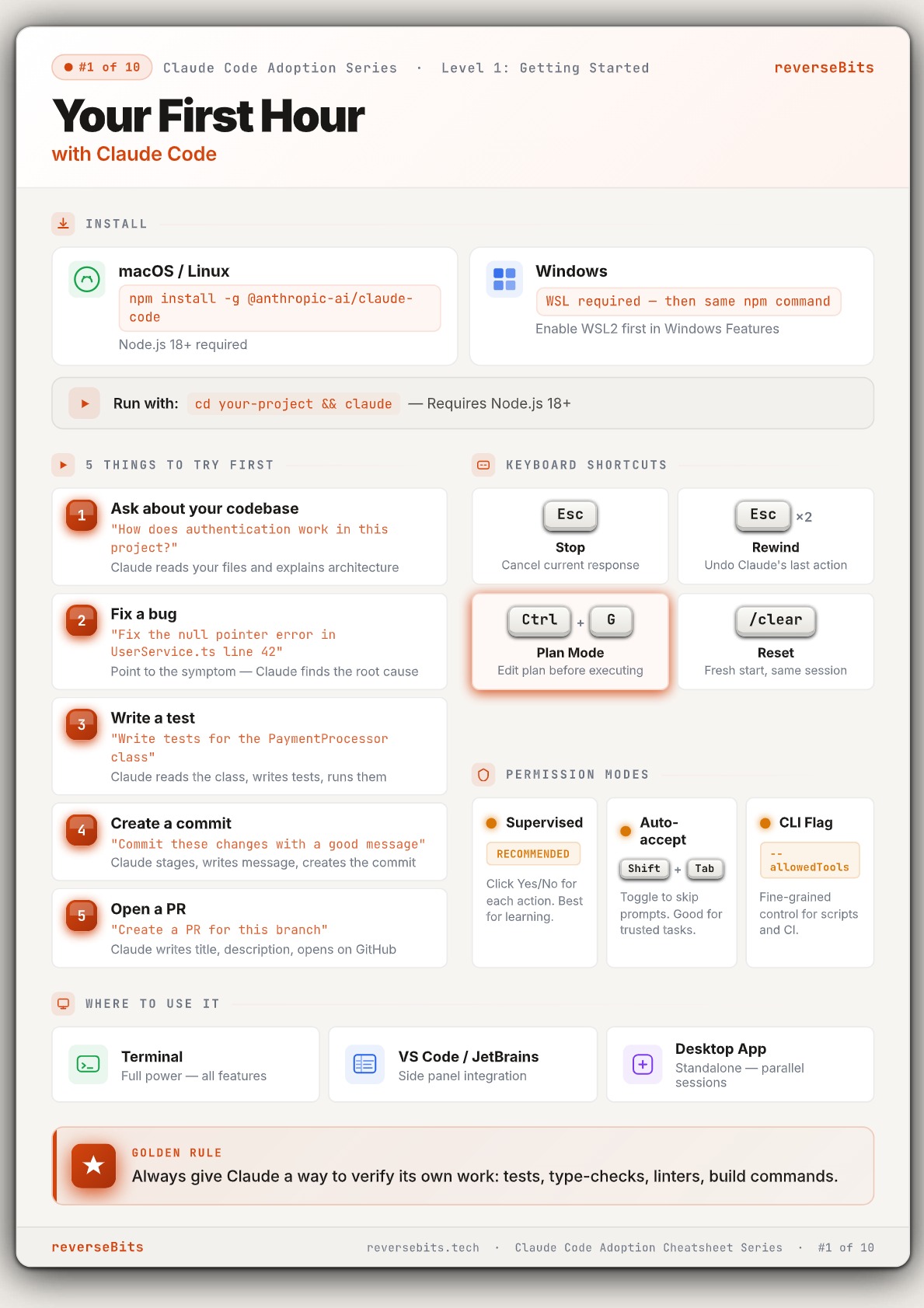
🚀 Your First Hour with Claude Code
Most developers waste their first hour with Claude Code because they don’t know where to begin.
Instead of experimenting randomly:
- understand the codebase
- fix a real bug
- generate tests
- create commits
- open PRs
Claude becomes dramatically more useful once you use it against real project tasks instead of hypothetical prompts.
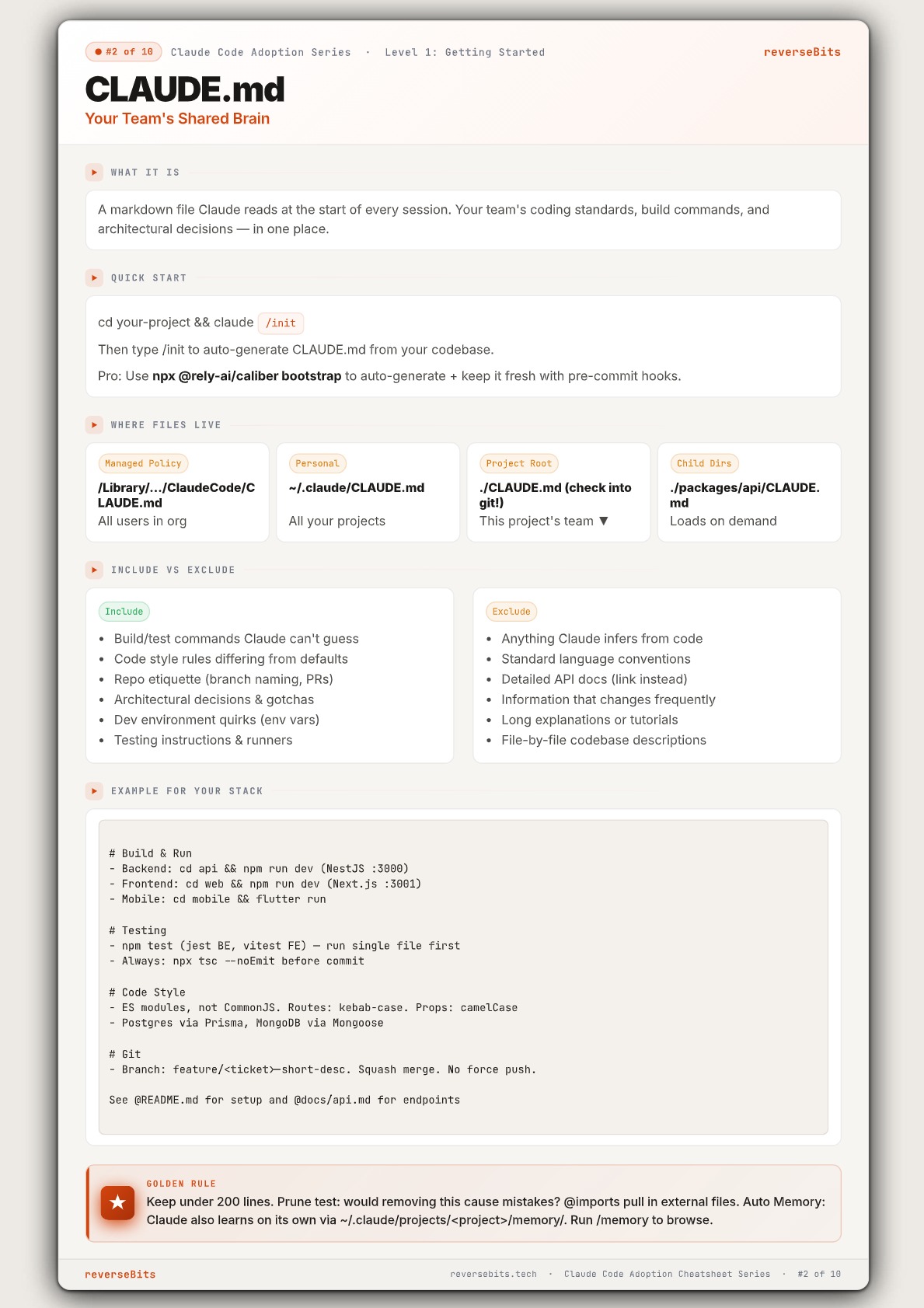
🧠 CLAUDE.md — Your Team’s Shared Brain
Your AI is only as good as its context.
Without shared context:
- outputs become inconsistent
- prompts become repetitive
- standards drift
- every developer gets different results
The solution is: CLAUDE.md
A shared AI brain for your entire project.
It gives Claude:
- build commands
- repo conventions
- architecture decisions
- testing workflows
- coding standards
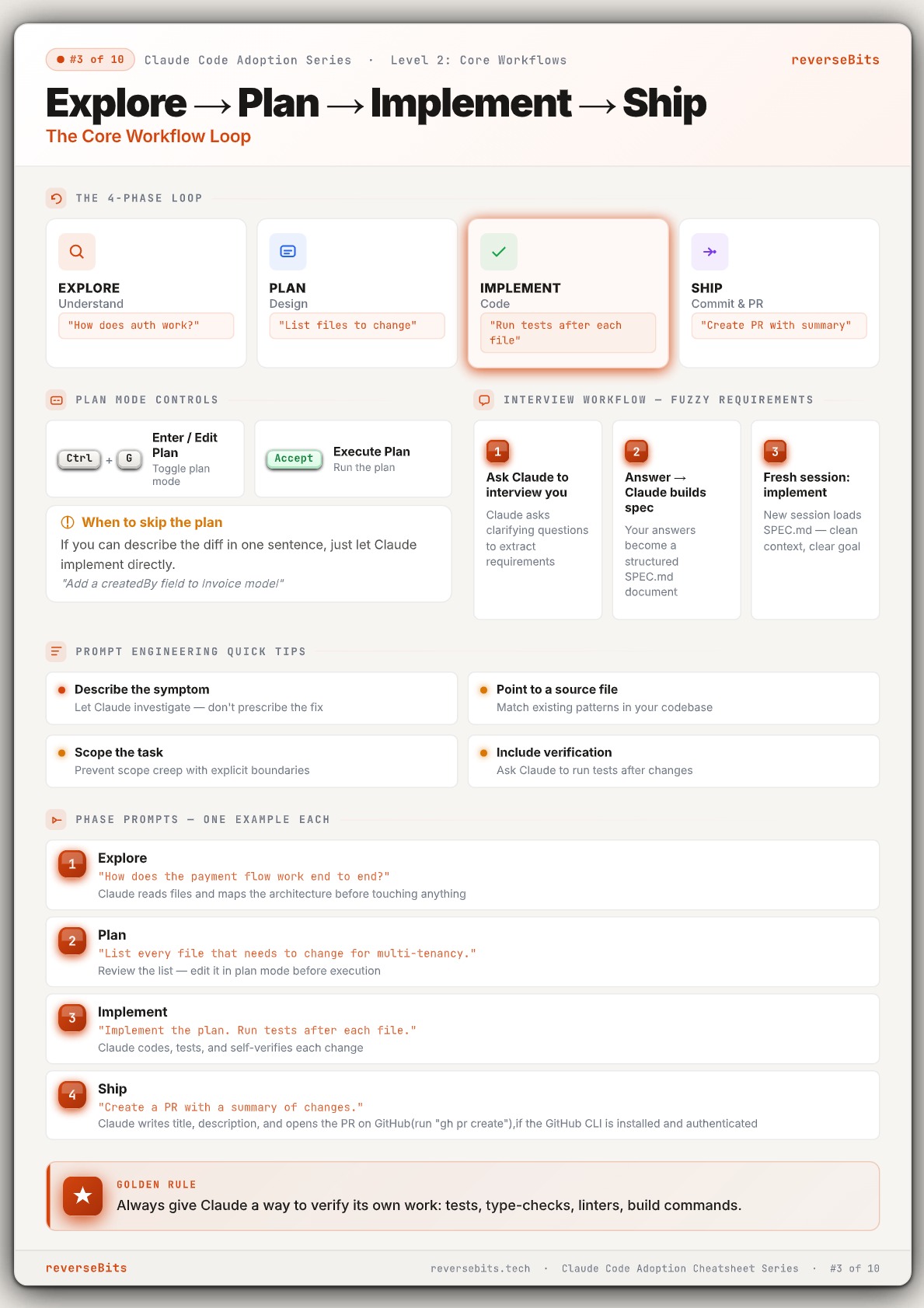
🔄 The 4-Phase AI Workflow
The best AI workflow is simple:
Explore → Plan → Implement → Ship
Instead of jumping directly into code:
- understand the system first
- design changes intentionally
- implement step-by-step
- verify continuously
This workflow dramatically reduces:
- hallucinations
- messy diffs
- broken implementations
- wasted retries
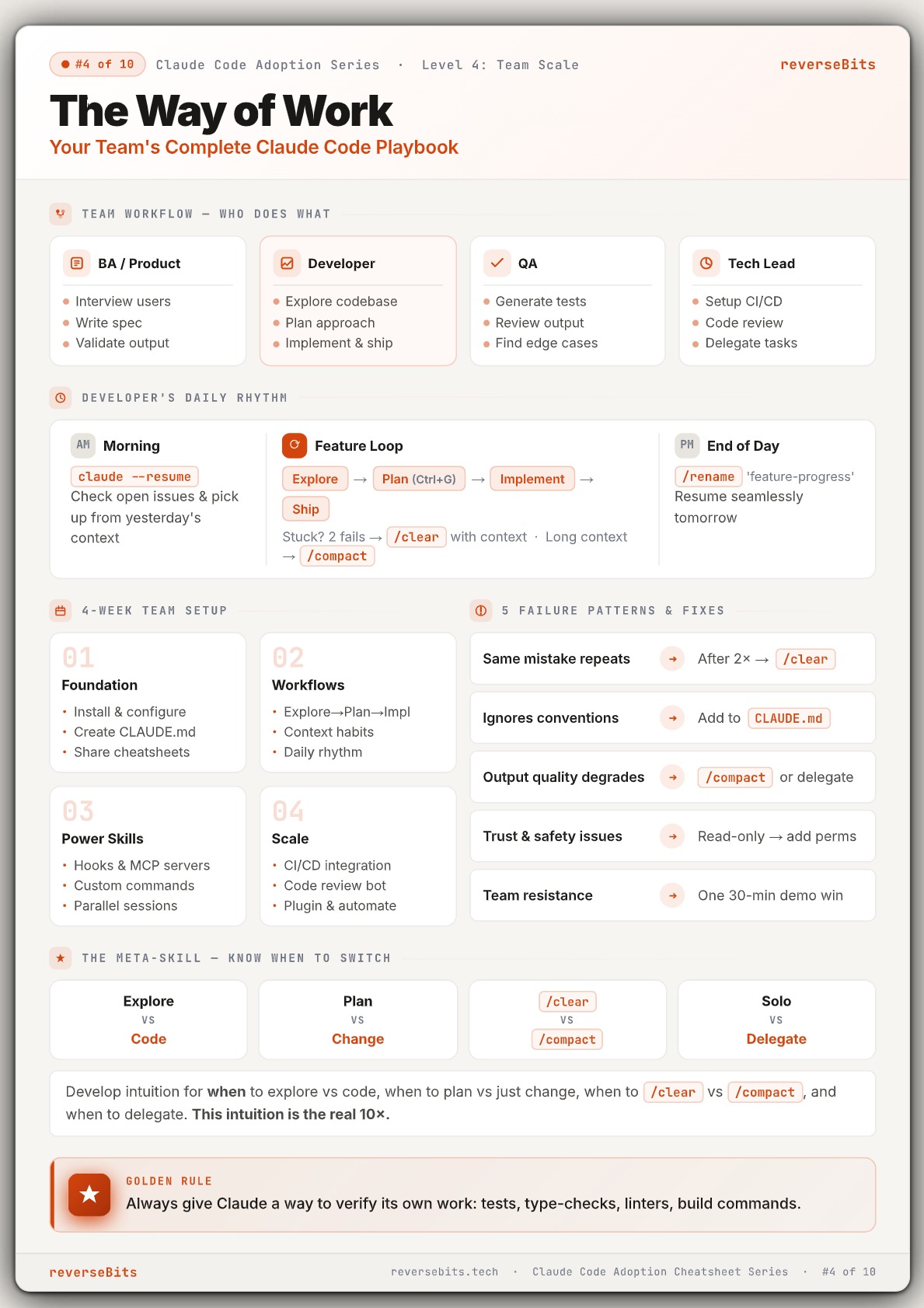
🏢 Team Systems & AI Adoption
Tools don’t scale. Systems do.
Successful AI teams define:
- workflows
- ownership
- review systems
- automation habits
- context standards
The strongest teams create:
- repeatable processes
- shared workflows
- operational systems
That’s what actually makes AI scale across teams.
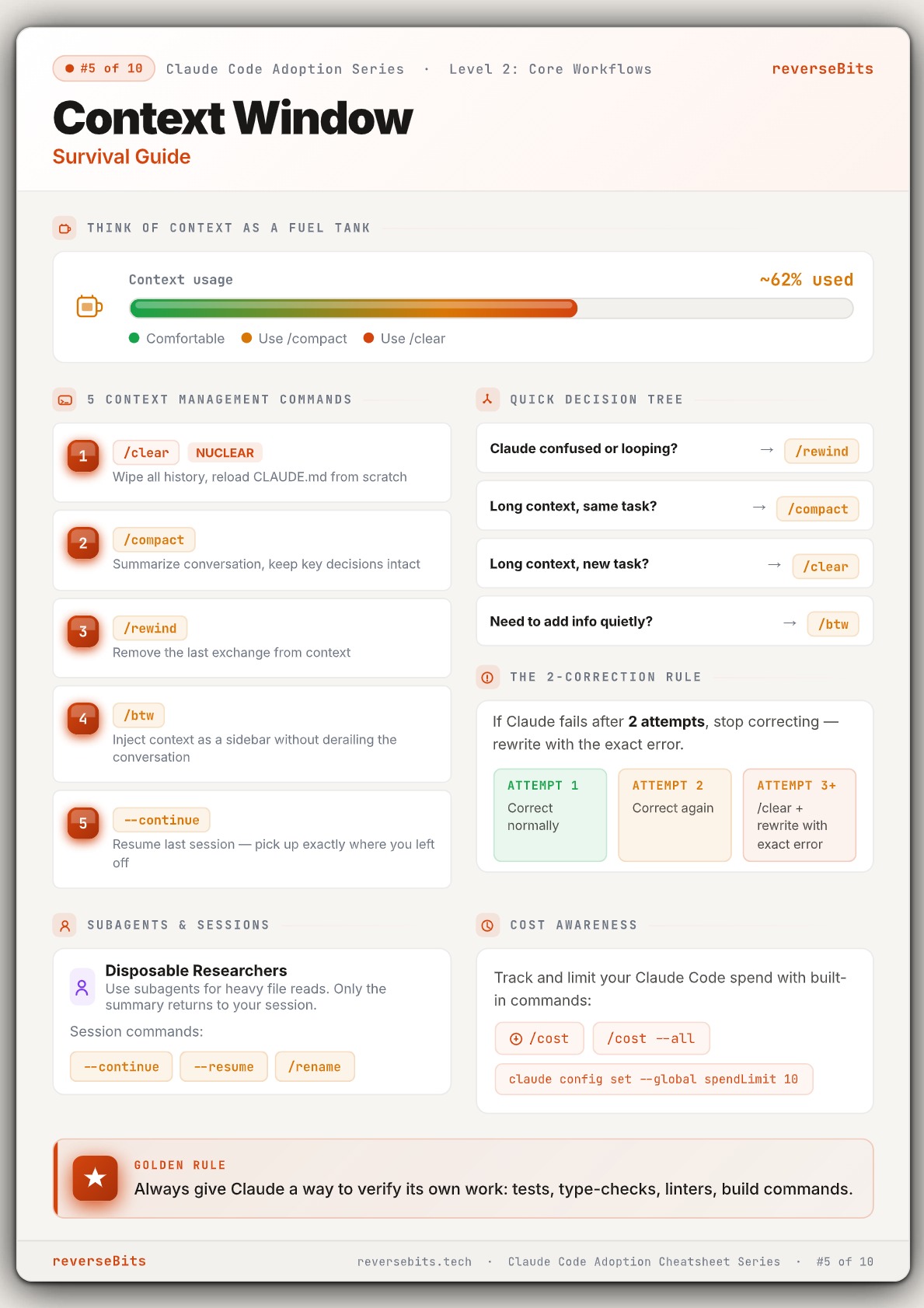
⚡ Context Management
Your AI probably isn’t broken.
You’re just running out of context.
Long sessions eventually:
- loop
- forget decisions
- degrade in quality
- ignore previous instructions
The most important commands:
/clear/compact/rewind/btw
Better context hygiene = dramatically better outputs.
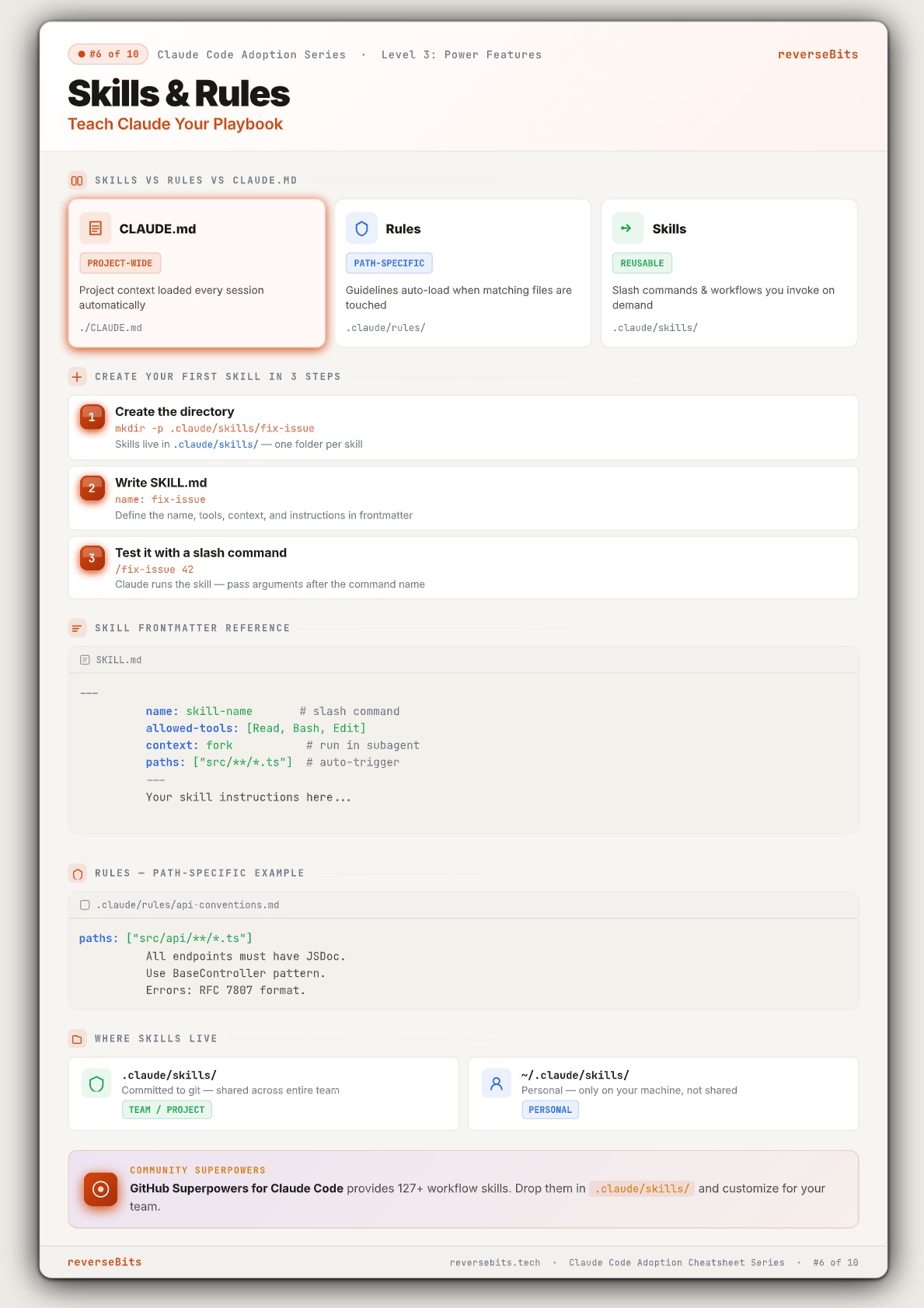
🛠️ Skills & Rules
If your AI outputs are inconsistent, your system is inconsistent.
Claude Code supports:
- CLAUDE.md
- Rules
- Skills
Together, they create reusable workflows and team-wide AI standards.
With Skills and Rules:
- workflows become reusable
- standards become enforceable
- prompts become dramatically smaller
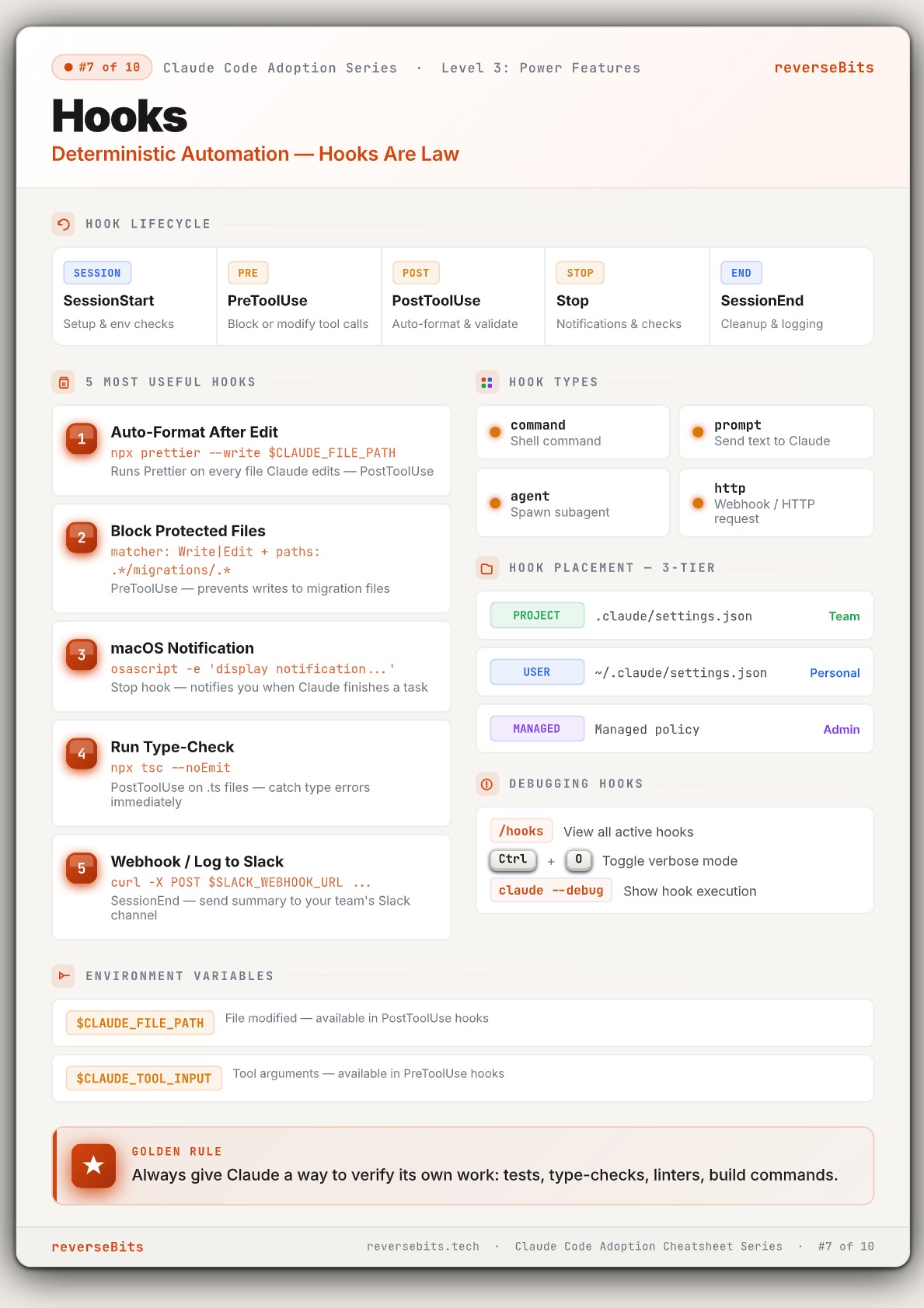
🤖 Hooks — AI Automation
Prompts can be ignored.
Hooks cannot.
Hooks automatically execute commands during Claude’s lifecycle.
That means you can:
- auto-format code
- validate outputs
- block dangerous edits
- trigger notifications
- automate repetitive workflows
Instead of reminding AI what to do: automation guarantees it happens.
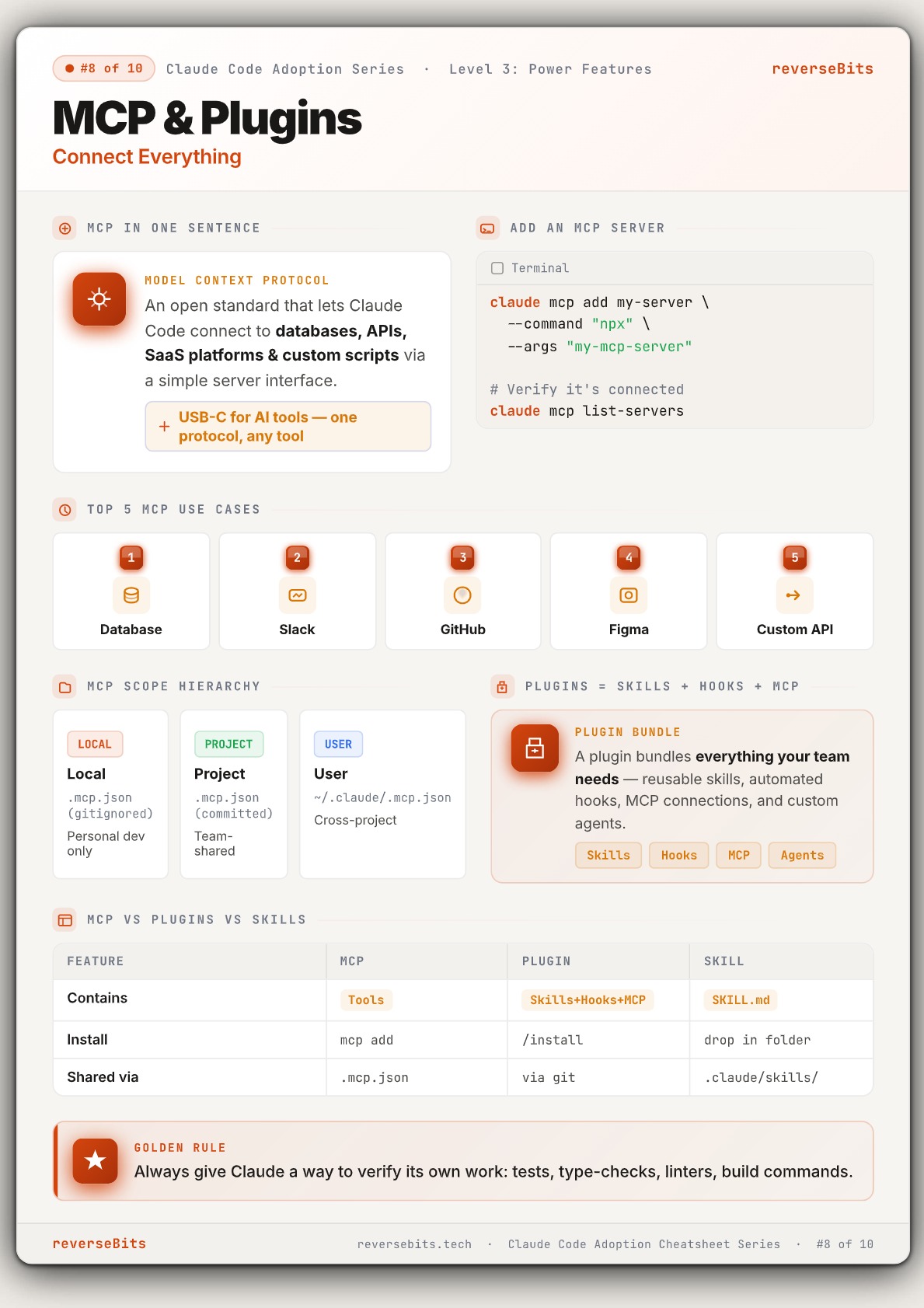
🔌 MCP — Connect Claude to Your Stack
By default, AI works in isolation.
MCP (Model Context Protocol) connects Claude directly to:
- GitHub
- Slack
- databases
- APIs
- Figma
- Jira
- internal tools
Think of MCP like USB-C for AI tools.
One standard. Any connection.
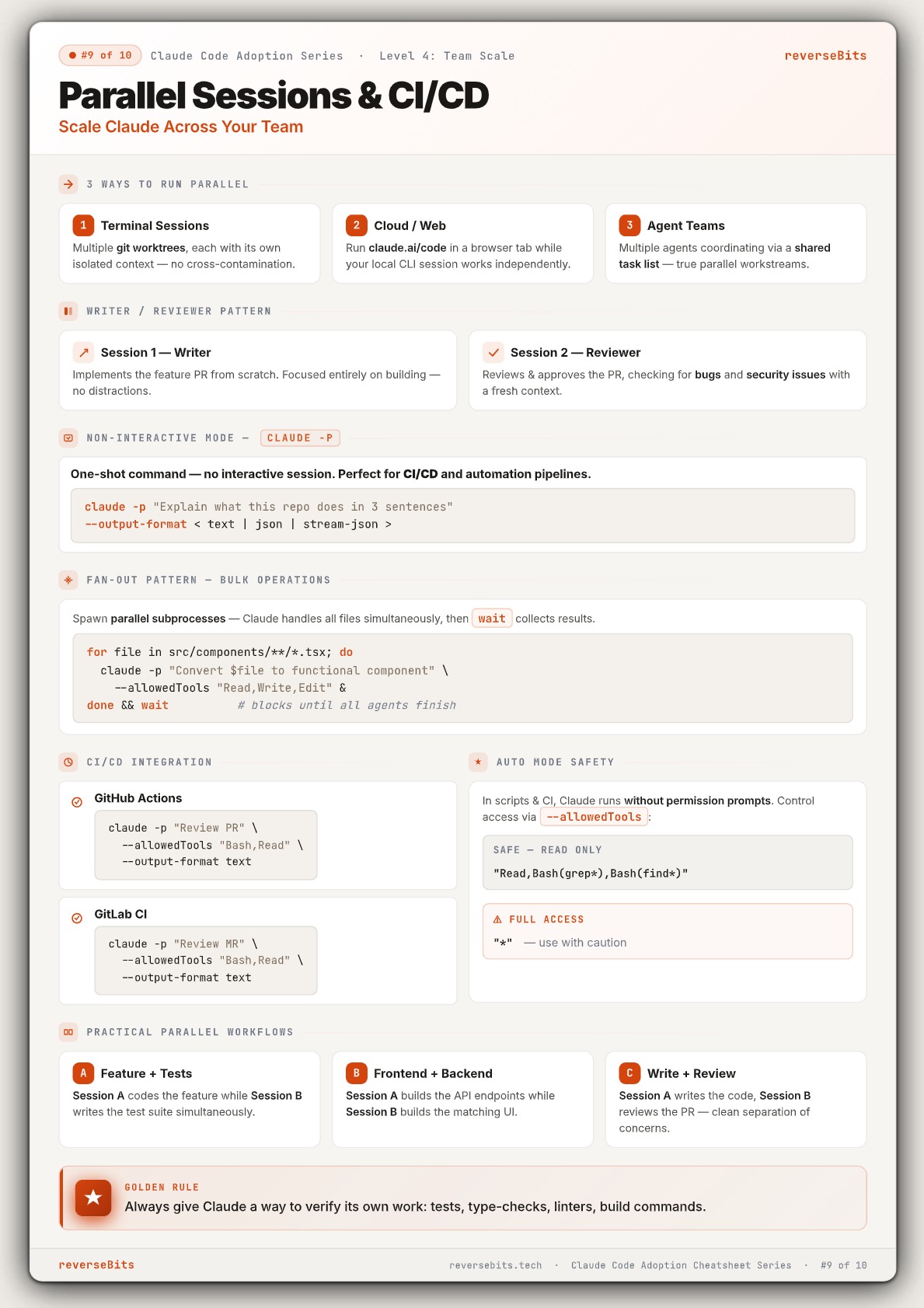
⚙️ Parallel AI Workflows
Most developers still use AI like a solo developer.
But Claude becomes dramatically more powerful when multiple sessions work in parallel.
Examples:
- Writer / Reviewer workflows
- AI code reviews
- Bulk refactors
- CI/CD automation
- Multi-agent systems
Parallel execution increases:
- throughput
- review speed
- development velocity
- automation potential
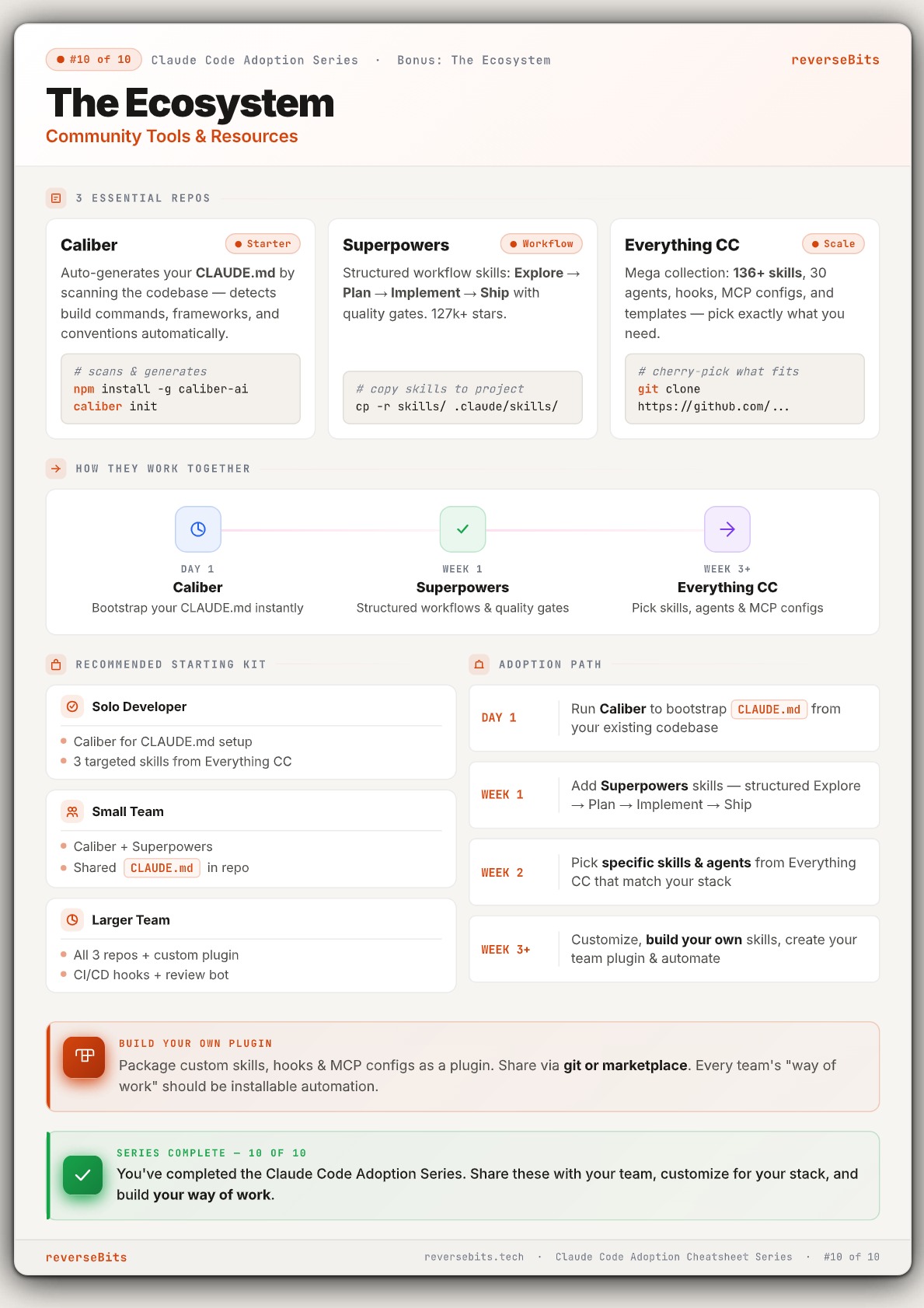
🧩 The Claude Code Ecosystem
You do not need 100 AI tools.
Start with 3:
- Caliber: Auto-generates CLAUDE.md
- Superpowers: Structured workflow skills
- Everything Claude Code
Massive collection of:
- skills
- hooks
- MCP configs
- templates
- automation systems
Start small. Standardize workflows. Scale gradually.
Why This Matters
Most teams fail with AI because they rely on prompts instead of systems.
The teams getting the best results use:
- shared context
- reusable workflows
- automation
- operational habits
- structured development systems
That’s the real leverage.
Not better prompts.
Better systems.
Recommended Learning Path
If you’re new to Claude Code:
- Step 1 : Set up CLAUDE.md
- Step 2 : Learn the Explore → Plan → Implement → Ship workflow
- Step 3 : Improve context management
- Step 4 : Add Skills + Hooks
- Step 5 : Connect tools with MCP
- Step 6 : Scale with parallel workflows
That progression creates a complete AI development system.
Final Thoughts
Claude Code becomes dramatically more powerful once you stop using it randomly.
Build:
- systems
- workflows
- automation
- reusable context
- team standards
That’s how high-performing AI teams actually work.
Bookmark this guide and explore the detailed cheatsheets linked throughout the article.
Related Topics
Enjoyed this article?
Check out more blogs on our blog.