

The shocking truth about email API costs that will make you rethink every client project
Press enter or click to view image in full size
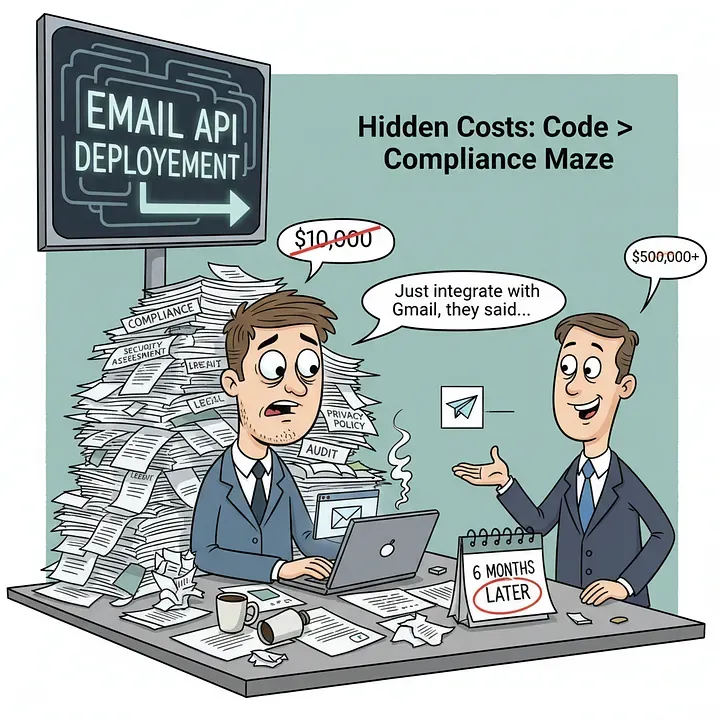
Picture this: Your client wants a “simple” feature. Just integrate with Gmail so users can send emails from your app. How hard could it be, right? You quote them 2–3 weeks, maybe $5,000–$10,000 for development.
Six months later, you’re staring at compliance documents thicker than a phone book, security assessments that cost more than a luxury car, and a client who’s wondering why their “simple email feature” has consumed half their annual budget.
Welcome to the hidden world of email API production deployment — where the real costs aren’t in the code, but in the compliance maze that nobody talks about until it’s too late.
The Moment Reality Hits 💥
I learned this lesson the hard way. Like many developers, I thought integrating with Gmail or Outlook APIs was straightforward:
- Register your app ✅
- Get API keys 🔑
- Write some OAuth code 💻
- Ship it 🚀
What I didn’t know was that step 4 is actually step 400, and steps 5–399 involve lawyers, security auditors, and enough paperwork to deforest a small country.
The brutal truth? If you’re building a commercial application that needs email access, budget at least $20,000–$50,000 for your first year of compliance costs alone.
Why Email APIs Are Different (And Expensive) 🤯
Email isn’t just another API. You’re asking users to trust you with potentially their most sensitive data — their entire email history, contacts, and the ability to send emails on their behalf. Google and Microsoft treat this accordingly.
Both platforms have implemented what I call the “email API tax” — a series of verification processes designed to keep bad actors out. Unfortunately, it also keeps a lot of good developers surprised and broke.
The Google Gauntlet: Gmail API Verification 🏴☠️
Let’s break down what Google actually requires when you want to go live.
The “Easy” Part (Spoiler: It’s Not) 😅
- Privacy policy and terms of service (legally compliant ones cost $500–$3,000)
- Domain verification
- Detailed explanation of every OAuth scope you use
- YouTube video demonstrating your OAuth flow (yes, really)
The Expensive Part: Security Assessment 💸
Here’s where it gets painful. If you’re accessing “restricted scopes” — which includes most useful Gmail features like reading emails or sending on behalf of users — Google requires an annual security assessment through their CASA (Cloud App Security Assessment) framework.
Current Real-World Costs from Google’s Approved Assessors 💰
Security Assessment Range (Based on Developer Reports):
- Small Apps: $5,000–$15,000
- Medium Apps: $15,000–$30,000
- Large/Complex Apps: $30,000–$75,000+
Important Notes:
- Google doesn’t set fixed prices — you negotiate directly with approved assessors
- Costs vary significantly based on app complexity and data handling scope
- Some developers report getting quotes as low as $5,000 for simple apps
- You must use Google’s approved assessors from their App Defense Alliance
Sources: Google CASA Requirements, Developer Experiences
The Annual Nightmare 😱
Here’s the kicker: This isn’t a one-time cost. You need to recertify annually. That $5,000–$75,000+ assessment? You’re paying it every single year your app exists.
The assessment includes:
- Automated security testing
- Manual code review
- Infrastructure security evaluation
- Data handling compliance verification
- OWASP Application Security Verification Standard (ASVS) compliance
Timeline: 2–6 months from start to approval, depending on how many security issues they find.
The Microsoft Maze: Graph API Verification 🌀
Microsoft’s approach is different from Google’s CASA requirements, but still involves significant costs.
Publisher Verification (FREE)
- Cost: $0 — Microsoft does not charge for publisher verification
- Process: Verify your identity as the app publisher through Partner Center
- Requirements: Business marketplace verification (not a paid membership)
- Timeline: 3–5 working days
- Gets you: The blue “verified” checkmark
Source: Microsoft Partner Center — Publisher Verification
App Certification (FREE but with Hidden Costs) 💸
- Microsoft Fee: $0 — No direct cost for AppSource certification
- Timeline: 3–5 working days (24 hours for Teams/SPFx apps)
- Required for: Microsoft AppSource listing
- Includes: Security, compliance, and functionality testing
Hidden Costs You’ll Still Pay:
- Development time: Preparing app to meet Microsoft standards
- Security assessments: Internal testing and compliance work
- Documentation: Privacy policies, terms of service, compliance docs
- Legal consultation: $2,000–$8,000 for GDPR compliance if serving EU users
Source: Microsoft AppSource Certification Policies
Microsoft 365 App Compliance Program (Optional but Recommended) 🏆
- Cost: FREE — Microsoft covers penetration testing costs
- Benefits: Enhanced credibility and visibility badge
- Process: Publisher attestation + detailed security review
- Timeline: Several weeks depending on app complexity
Source: Microsoft 365 App Certification
The Real Enterprise Requirements 🏢
For serious commercial apps accessing restricted permissions, you’ll need:
- Legal compliance documentation: $2,000–$8,000 (GDPR if serving EU users)
- Security assessments: $3,000–$10,000 (internal testing and remediation)
- Cyber liability insurance: $2,000–$8,000/year (recommended)
- Ongoing compliance monitoring: $1,000–$5,000/year
Note: Unlike Google’s CASA, Microsoft doesn’t require expensive annual security assessments for basic Graph API access. The main costs come from legal compliance and internal security work.
The Hidden Costs That Will Blindside You 😱
Beyond the obvious certification costs, budget for:
Legal and Compliance
- Privacy policy and terms of service: $500–$3,000 (if you need to create new ones)
- GDPR compliance documentation: $10,000–$25,000 (if serving EU users)
- Data processing agreements: $1,000–$3,000
Security and Infrastructure 🔒
- Security consultation and remediation: $5,000–$20,000
- Penetration testing: $3,000–$10,000
- Ongoing compliance monitoring: $2,000–$10,000/year
Insurance and Protection 🛡️
- Errors & omissions insurance: $3,000–$15,000/year
- Cyber liability coverage: $2,000–$8,000/year
The Privacy Policy Reality Check 💡
Here’s what most developers don’t realize about privacy policies for Google OAuth.
If your client already has a privacy policy ✅
- Cost: $0 (if it meets Google’s requirements)
- What you need to do: Ensure it’s publicly accessible and includes specific language about Google user data handling
- Google’s requirements: The policy must clearly state how you access, use, store, and share Google user data
If you need to create/update a privacy policy 📄
- Basic policy: $500–$1,500
- Complex policy: $1,500–$3,000
What’s included: Google-specific data handling language, OAuth scope explanations, data retention policies
Source: ContractsCounsel — Privacy Policy Costs
GDPR Compliance: The Hidden Giant 🇪🇺
If your app serves users in the European Union, GDPR compliance becomes mandatory and expensive.
Get Dipali Shimpi’s stories in your inbox Join Medium for free to get updates from this writer.
Enter your email Subscribe
GDPR Implementation Costs 💸
- Small businesses: $10,000–$25,000
- Medium businesses: $25,000–$50,000
- Large enterprises: $50,000–$100,000+
What’s included 📋
- Data Protection Impact Assessments (DPIAs) 📊
- Staff training and documentation
- Technology investments for data protection
- Legal consultation and compliance audits
- Ongoing monitoring and updates
Source: Sprinto — GDPR Compliance Costs
Important Note: CASA assessments do include some GDPR compliance verification, but they don’t replace the need for comprehensive GDPR documentation and legal compliance if you’re processing EU user data. ⚠️
Real-World Budget Breakdown 💰
Year 1 Google Gmail Integration 📧
- Security assessment: $5,000–$75,000
- Legal compliance: $2,000–$8,000 (privacy policy + GDPR if needed)
- Security remediation: $3,000–$10,000
- Insurance: $3,000–$15,000
Total: $13,000–$108,000
Year 1 Microsoft Graph Integration 🔗
- Publisher verification: $0 (FREE)
- App certification: $0 (FREE)
- Legal compliance: $2,000–$8,000 (GDPR if serving EU users)
- Security assessments: $3,000–$10,000 (internal work)
- Insurance: $2,000–$8,000 (recommended)
Total: $7,000–$26,000
Note: Microsoft’s costs are significantly lower than Google’s because they don’t require expensive annual security assessments like CASA.
Smart Alternatives for Smaller Projects 🚀
Before you panic-close this article, here are some alternatives.
For Development / Testing 🧪
Both platforms allow up to 100 test users without full verification. Perfect for:
- MVP validation 🎯
- Internal tools 🔧
- Proof of concepts 💡
Proxy Services (The Smart Route) 🎯
Services like Zapier, Make.com, or Microsoft Power Automate handle all the compliance burden. You pay per transaction instead of massive upfront costs.
Pros:
- No compliance headaches
- Get to market faster
- Predictable per-use pricing
Cons:
- Less control over the user experience
- Ongoing per-transaction costs
- Feature limitations
Enterprise-Only Sales 🏢
Some companies skip public verification entirely:
- Sell only to enterprises
- Let enterprise customers approve your app internally
- Still requires security documentation but avoids public certification
Timeline Reality Check ⏰
Google Gmail API Production 📧
- Month 1: Submit application and documentation
- Months 2–3: Security assessment and fixing issues
- Months 4–6: Final review and approval (if you’re lucky)
Note: Timeline can vary significantly based on app complexity and documentation completeness
Microsoft Graph API Production 🔗
- Week 1: Publisher verification setup (3–5 working days)
- Week 2–3: App certification for AppSource listing (3–5 working days)
- Optional: Microsoft 365 App Compliance Program (several weeks)
Note: Microsoft’s process is much faster than Google’s CASA requirements
Sources: Google CASA Process, Microsoft AppSource Timeline
How to Not Get Blindsided 🛡️
During Project Planning 📋
- Ask the compliance question early: “Will this need to access user email data?”
- Budget 3× your development costs for compliance and certification
- Add 4–6 months to your timeline for production deployment
- Consider proxy services for smaller projects or MVPs
During Sales / Estimation 💼
- Be transparent about compliance costs with clients
- Separate development costs from compliance costs in your proposals
- Offer alternatives like proxy services for budget-conscious clients
- Always include a “compliance contingency” in your estimates
During Development 💻
- Start the verification process as early as possible
- Build with security best practices from day one
- Document everything — you’ll need it for assessments
- Consider hiring a compliance consultant if this is your first time
The Bottom Line 💡
Email API integration isn’t just about writing code — it’s about navigating a complex web of security requirements, legal compliance, and ongoing certification costs that can easily exceed your entire development budget.
The reality is that developers using Gmail API restricted scopes can face fees of $15,000–$75,000 or more for security assessments, and enterprise-tier implementations can cost $500 per month just for API access limits.
But here’s the thing: These costs exist for good reasons. Email data is incredibly sensitive, and the verification processes, while expensive, help keep user data safe from bad actors.
The key is knowing about these costs upfront so you can plan accordingly, set proper client expectations, and choose the right approach for your specific project.
Remember: The most expensive email integration is the one you didn’t budget for.
Essential Resources 📚
- Google CASA Security Assessment Details
- Microsoft App Verification Process
- Google OAuth App Verification Overview
- Microsoft Publisher Verification Program
- Google OAuth Consent Screen Requirements
- ContractsCounsel — Privacy Policy Costs
- Sprinto — GDPR Compliance Costs
Have you been caught off guard by email API compliance costs? Share your story in the comments below — let’s help other developers avoid the same expensive surprises. 💬
Related Topics
Enjoyed this article?
Check out more blogs on our blog.